Terminated: 1998
Apparently, due to it having a QWERTY keyboard, it was considered a computer instead of a calculator and therefore banned on standardised tests.
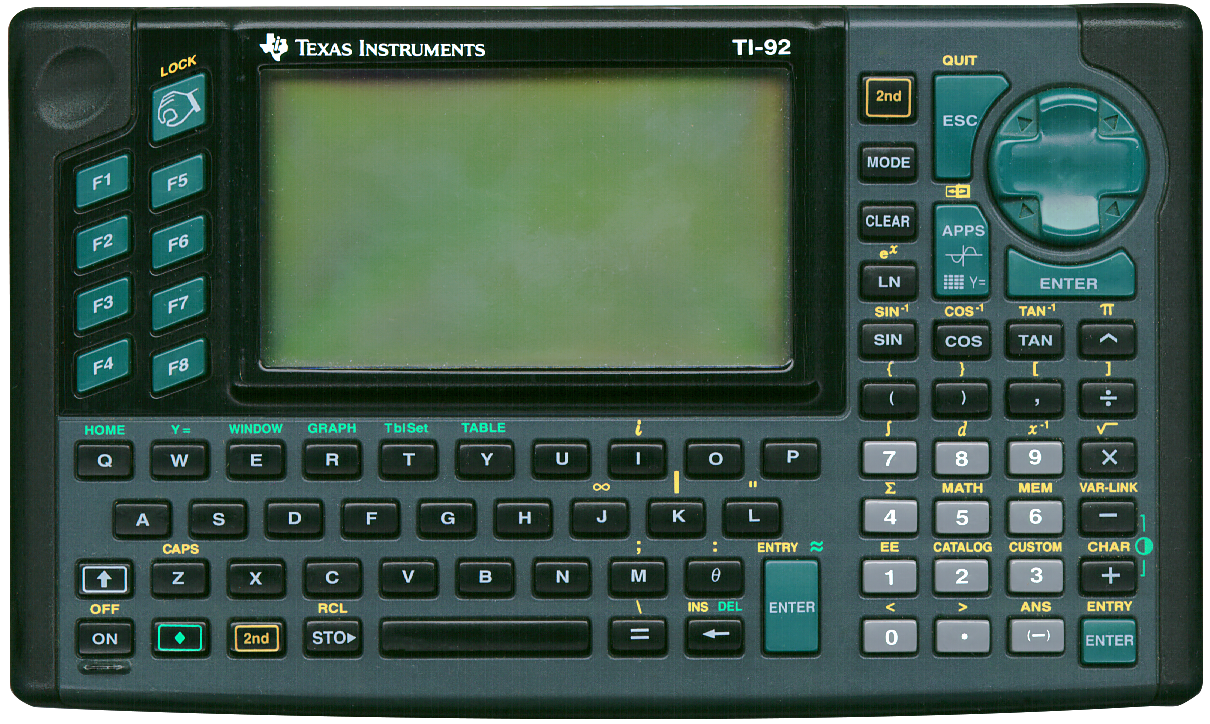
It is quite a big device (20 x 12 cm), weights 600 grams and has a special dent to hold it steadily using one’s left hand. Its case is shaped in such a way as to make holding it comfortable. It might look overwhelming at first but this calculator (and its successors) are well thought out and are actually easy to use.
It is also quite capable, with 128 kB of RAM of which 68 kB is user available, the 10 MHz Motorola MC68000 CPU, and a dot-matrix LCD of 240 x 128 pixels.
Next to its CAS, it has all anyone could ever wish for. Programming obviously, graphics, even a interactive method to construct geometrical forms and drawings, statistics, unit conversions, all kinds of mathematical operations.
Its internal accuracy is also impressive: 14-digits during calculations (but rounded to 12-digits for results) plus a 3-digit exponent for floating point numbers, 614 digits for integer values! A great way to demonstrate this is by using the factorial function. The largest factorial this calculator can calculate is 449! with the impossibly high result of 3.85193e997. The largest factorial producing an exact result is also mindbogglingly huge: 299! produces a staggering 613-digit numerical result.
Its back can easily slide off with a slider locking mechanism to replace the regular AA batteries. The memory backup battery is not easily replaceable and is a specific TI version of the CR 2032 with two spot welded leads.
With the lid of and the memory backup cover removed an expansion module is visible. There is a warning to "NOT REMOVE THE RECTANGULAR MODULE" because it is needed. Various modules are available for the TI-92 series of calculators, see this list (link validated 2026-10-20) on datamath.org, that can be used to turn this first model in the series into one of the later models.
Its back cover, by the way, can be used as a desk stand to set the calculator up at one of three angles.
Note the three ENTER keys, function wise identital but placed so they can conveniently be use after entering text, numbers or whilst navigating the menu system.
The 2nd key is present twice.
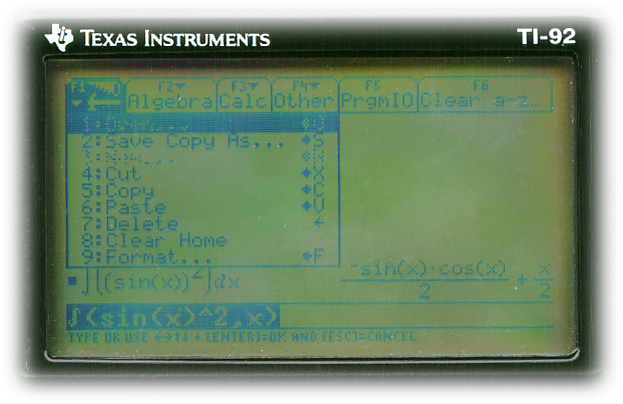 The LCD of the specimen I was able to obtain is quite vague and the calculator
therefore needs quite a lot of
light to operate with. It does not have dead pixels. Playing
with the LCD’s constrast (using the shifted function of + and −) does not help much.
Its blue keys also have lost some of the blue they must originally have had.
Seen here are its menu system which can be summoned using the function keys and navigate using the round cursor key. Also visible is a CAS example showing the integral of the squared sine of X.
Beware when entering expressons during algebraic calculations. Letters can be either an unknown or a value. When a letter has a value, its value is used. Luckily there is a quick cleanup of all letter values using F6 and selecting the top option 1:Clear a-z or pressing 1
Another thing to remember when entering expressons is that multi-letter variables are also variables, so "mv" is a variable but "m*v" is "m" times "v". So, to integrate mv over v, to derive the formule for kinetic energy from momentum:
Correct entry: ∫(m*v,v)
Incorrect entry: ∫(mv,v)
Result: mv·v
(because mv is seen as a constant)
The integration symbol, by the way, can be found under F3, second option (or 1).
If "m" and "v" would have values, say "m=21" and "v=2" the answer to this integral would be
"42". First the calculator would calculate the integral and then it would evaluate
the resulting expression. Mathematically incorrect of course for indefinite integrals can’t have
a constant as an answer, so clear your variables before performing these kind
of symbolic calculations.
Result:
m·v2
2
Incorrect entry: ∫(mv,v)
Result: mv·v
(because mv is seen as a constant)
The integration symbol, by the way, can be found under F3, second option (or 1).
A lot of useful information can be found on this Wikipedia page (link validated 2026-10-19).
- The TI-92 (this one) (1995)
- The TI-92 II (1996)
- The TI-92 Plus (1998)
- The TI-89 (1998)
- The TI Voyage 200 (2002)
- The TI-89 Titanium (2004)